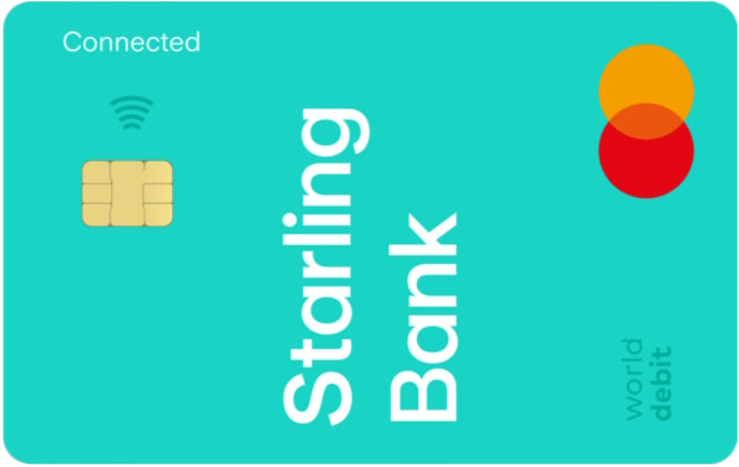




A free kids debit card and app for ages 6 to 15, linked to a Space inside a parent’s Starling current account. Parents top up from their Starling app, set daily spend and controls, get instant notifications, and can block online or ATM use. Purchases and cash withdrawals are fee-free in the UK and abroad from Starling’s side. Funds sit in the adult’s account and are FSCS protected up to £85,000.
Best for Starling families who want a simple, bank-backed kids card with zero monthly cost, strong controls and app access for the child. Not ideal if you do not bank with Starling, since a parent must hold a Starling personal or joint account to set up Kite.
A Mastercard debit card for kids that spends from a ring-fenced Kite Space inside the adult’s Starling account. Parents move money in the app and set limits; kids can view balance and transactions in a simplified app.
UK families who already bank with Starling and want fee-free spending, instant controls, and a bank-account set-up with FSCS protection on the parent account.
Starling Bank.
Mastercard.
Money sits in a Kite Space within the adult’s Starling current account; deposits are FSCS protected up to £85,000.
6 to 15, with child app access when enabled by the adult.
Mobile wallets are not supported for Kite.
Monthly plan
£0
No subscription fee.
UK purchases
Free
No Starling fee.
UK ATM withdrawals
Free
No Starling fee. Some ATMs may surcharge.
Overseas card spend
Free
Starling adds no FX fees. Mastercard rate applies.
Overseas ATM withdrawals
Free
Starling adds no fee. Local ATM may charge.
Top ups to Kite Space
Free
Top up from parent Starling account.
Starling adds no extra fees for purchases or ATM withdrawals. Use local currency to avoid DCC.
Kite ATM withdrawals are capped at £100 per day. Adults can toggle ATM access on or off.
Transfer from parent Starling account
Free
Move money to Kite Space in app.
KiteLink from friends and family
Free
Pay to the child’s Kite Space by card, Apple Pay or Google Pay via a shared link.
Eligibility
You must hold a Starling personal or joint account. Kids must be 6 to 15.
Steps to apply
Optional: give your child app access via Kite Space → Manage Space → Set up an app.
– In the Starling app go to Spaces and choose Kite Space.
– Provide your child’s details and photo ID such as a birth certificate, passport or residence permit.
– Order the card from the app and set controls. Delivery is typically 5 to 7 working days.
Age
6 to 15. Kite users move to teen account at 16 if desired.
Daily spend limit
£0.01 to £500. Set by the parent in app.
ATM withdrawals
£100 per day. Toggle on or off in app.
Contactless per tap
Up to £100. Parent can set a lower limit per card or Space.
Contactless running total
£300 before PIN reset required. Anti-fraud cumulative cap.
Kite Space balance cap
£5,000. Maximum held in the child’s Space.
KYC for child
Photo ID may be requested. Child ID evidence during setup.
Real-time alerts
Adult gets instant notifications for every spend and top up.
Parental controls
Set daily spend. Block online or ATM payments.
Child app access
Kid-friendly app view to see balance and transactions.
Contactless controls
Adjust contactless limit for the Kite card in app.
KiteLink
Share a link so others can send pocket money to the Kite Space.
Merchant blocks
Gambling and betting merchants are blocked.
Starling households seeking a free kids card with bank-level protections on the parent account and robust controls in one app.
Families who do not bank with Starling or who want the child to use Apple Pay or Google Pay on their own device.
Free monthly plan with no Starling fees for purchases, top ups or ATM use.
Strong parental controls and instant alerts, with optional child app access.
Money sits in the adult’s Starling account with FSCS protection.
Parent must have a Starling account to set up Kite.
No Apple Pay or Google Pay for the child’s card.
Families who want education features and fine-grained controls
Families wanting budgeting focus and card-only travel spend
NatWest families using the free offer and wanting granular controls
Free monthly plan and no Starling fees for UK or overseas use.
Fee-free from issuer side. £100 daily ATM limit for Kite.
Daily spend limit, online and ATM toggles, child app access. No mobile wallet support.
Free top ups from parent account. KiteLink for family and friends.
UK bank, FSCS on adult account deposits.
Kite is a Space inside the adult’s Starling Bank current account. The child’s card spends from that Space. Deposits in the adult account are FSCS protected up to £85,000.
Starling product page, Help Centre and legal terms. Verified 7 Nov 2025.
Independent, fact‑checked comparison. Click here for editorial guidelines.
Found your prepaid card? Not yet? Here are 4 ways Prepaid365 can help you choose and use the right prepaid or travel money card:
Visit our dedicated category pages to explore and compare travel money, everyday use, teen, and business prepaid cards – all in one view, updated regularly with the latest fees, limits, and features.
Head to our Prepaid Card Reviews section for in-depth reviews of leading prepaid and travel cards, including detailed breakdowns of fees, limits, and benefits to help you find the perfect match.
Browse our Prepaid Card Guides to understand how prepaid cards work, how to manage top-ups, fees, and security, and how to get the best value across different card types and currencies.

